New Pick your focus, and meet your Ghost

A workout plan that actually knows you.

Answer a few honest questions. Run a six-check assessment. Get a real Push, Pull and Legs week that never trains an injured joint.

Free in your browser. For ages 16 and up. 840 exercise demonstrations. Your photos stay on your device.

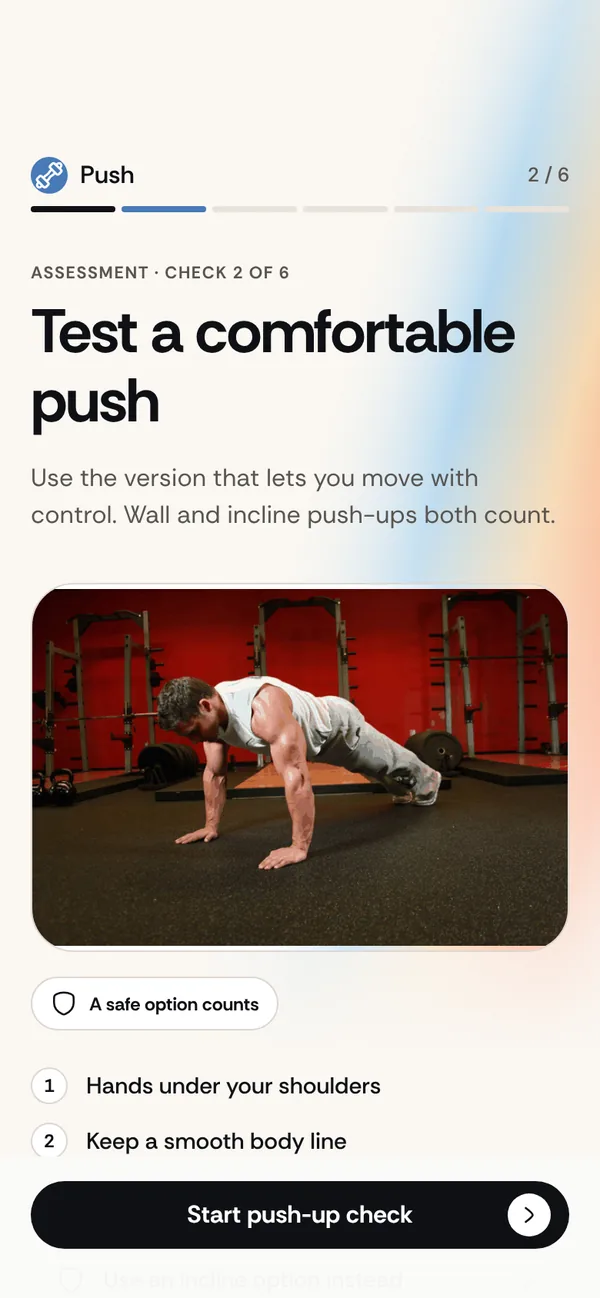
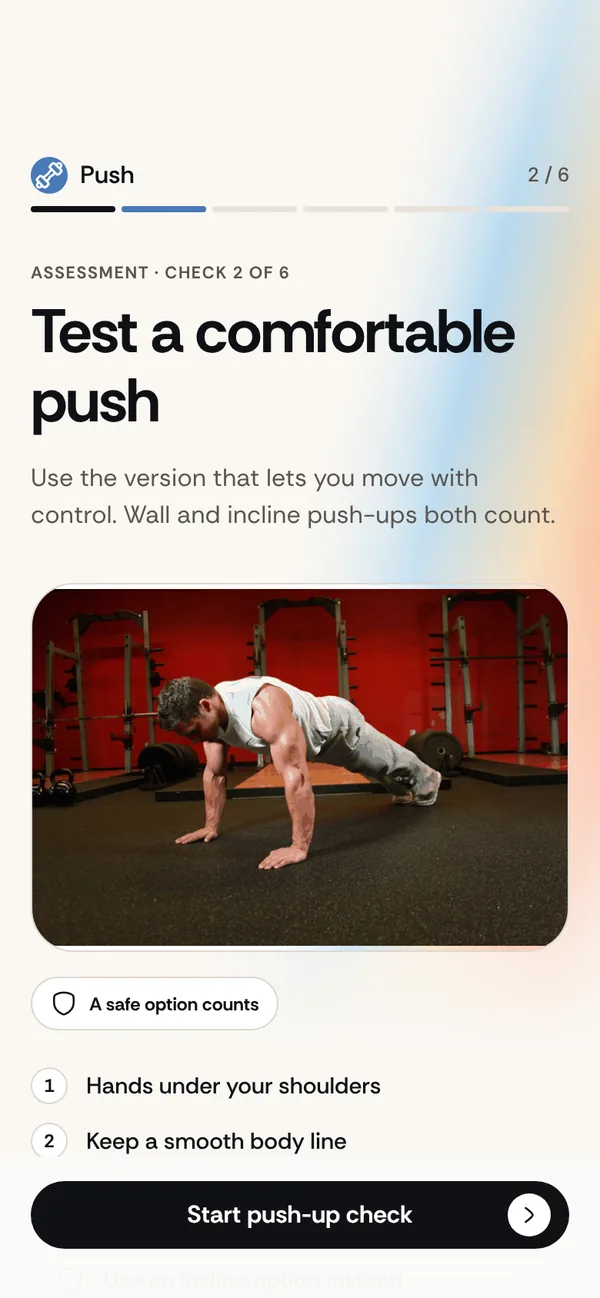
The push-up check in the Lvl Up assessment, with a real exercise demonstration
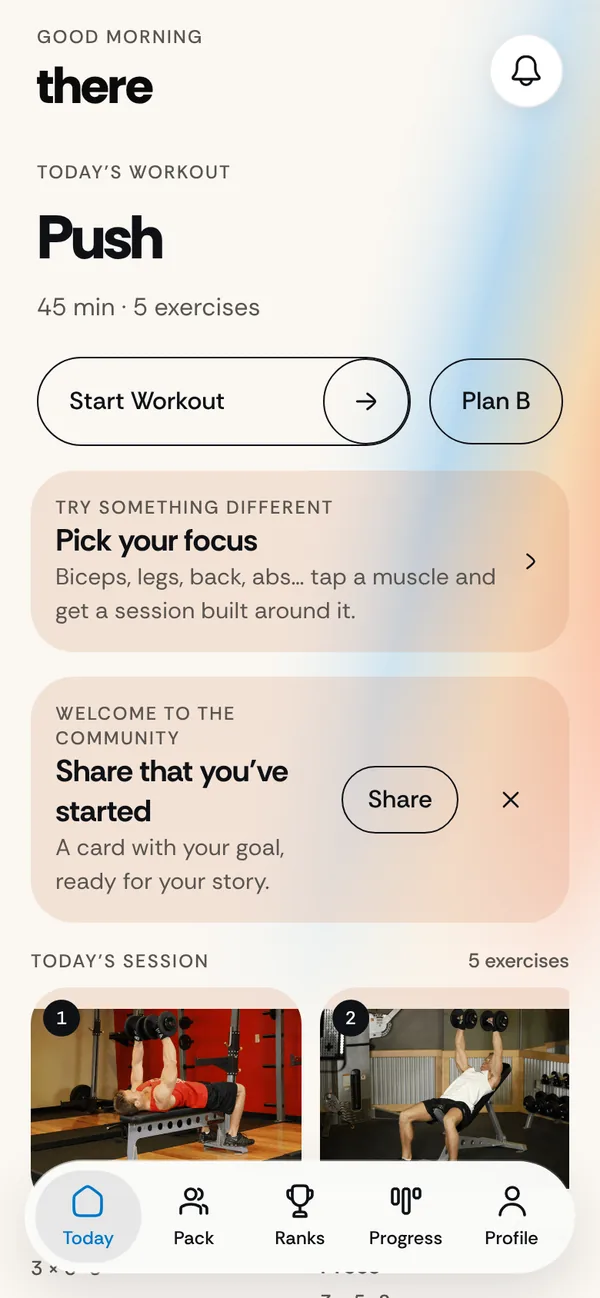
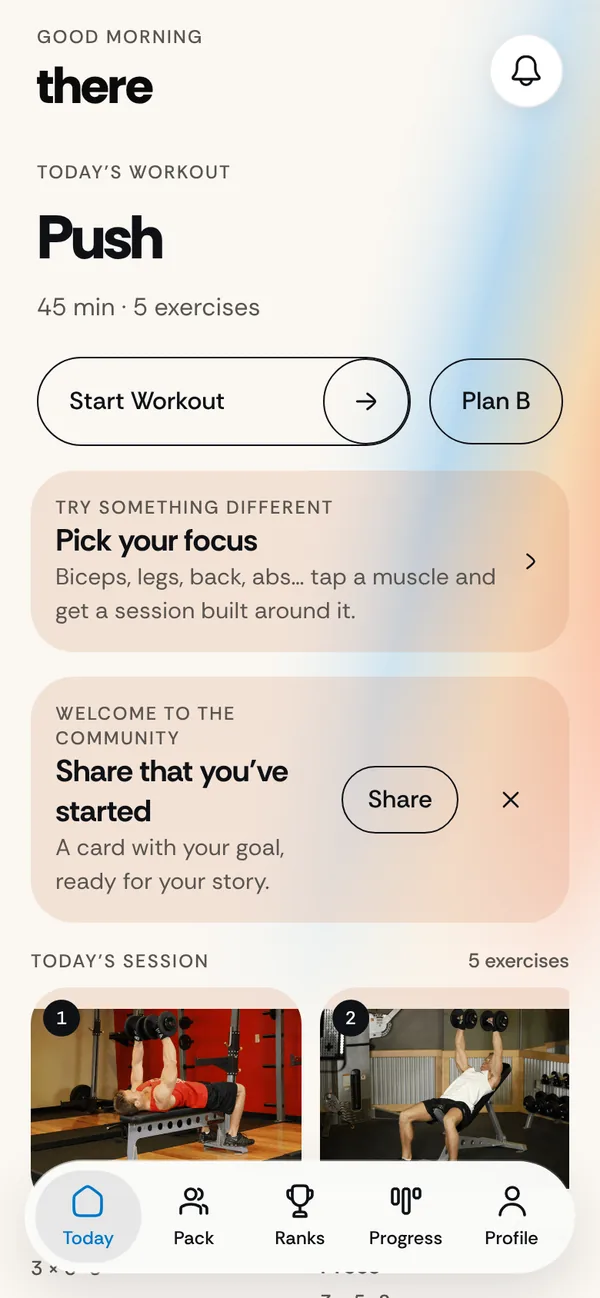
Lvl Up Today screen showing a 45-minute Push workout with five exercises
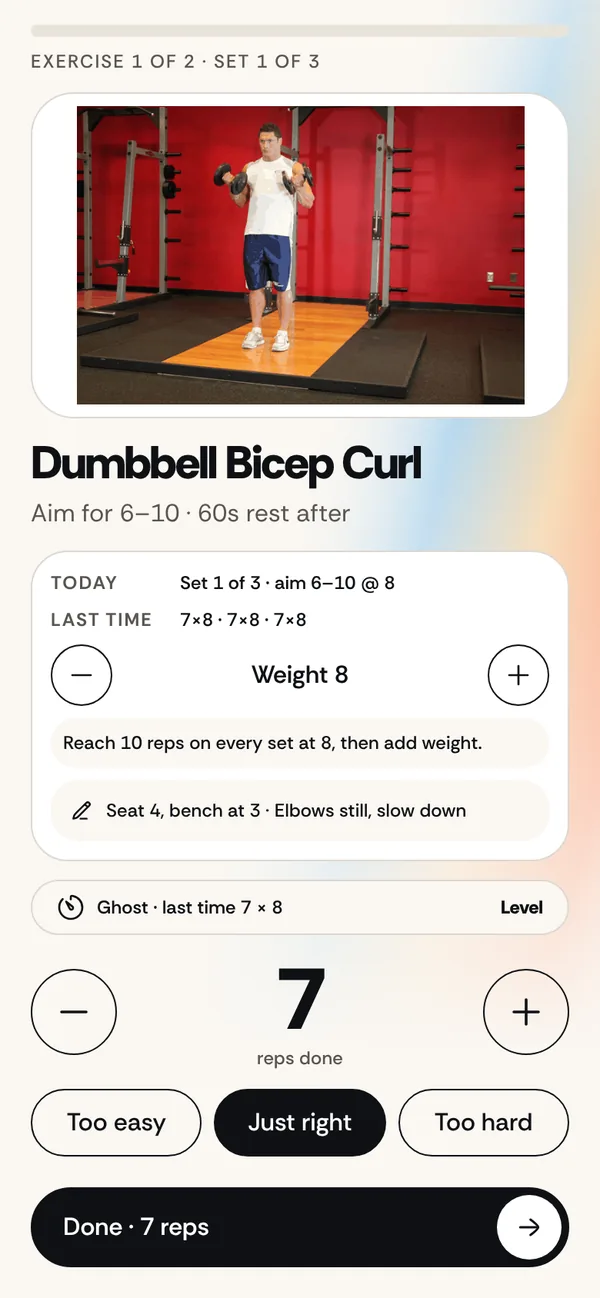
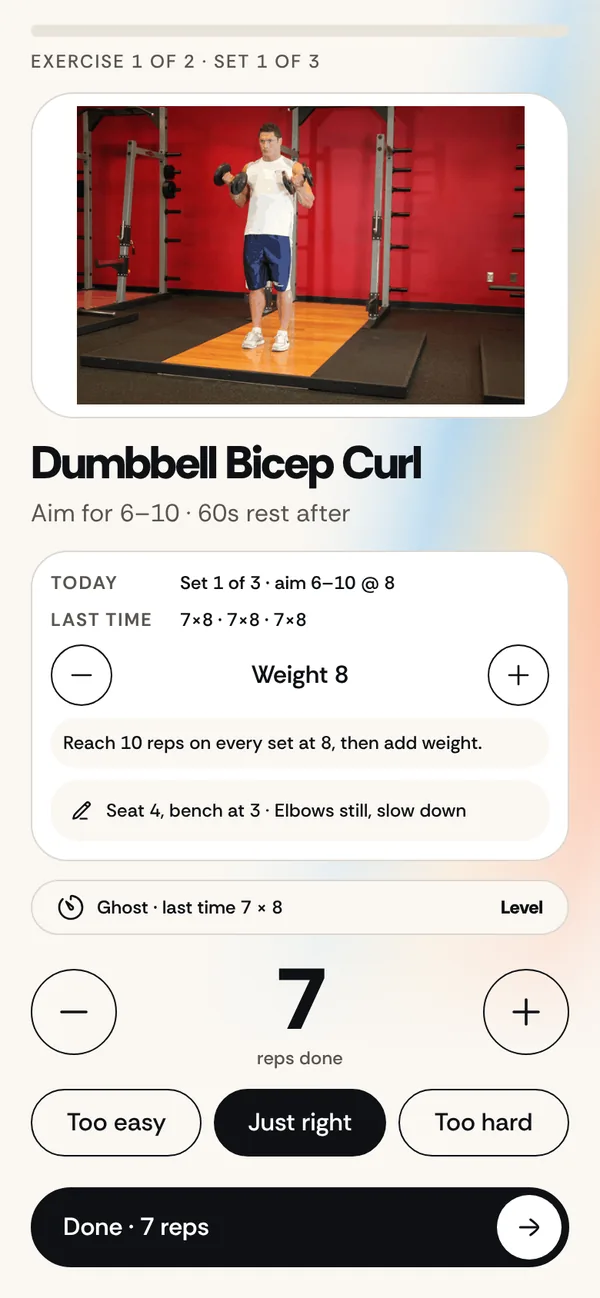
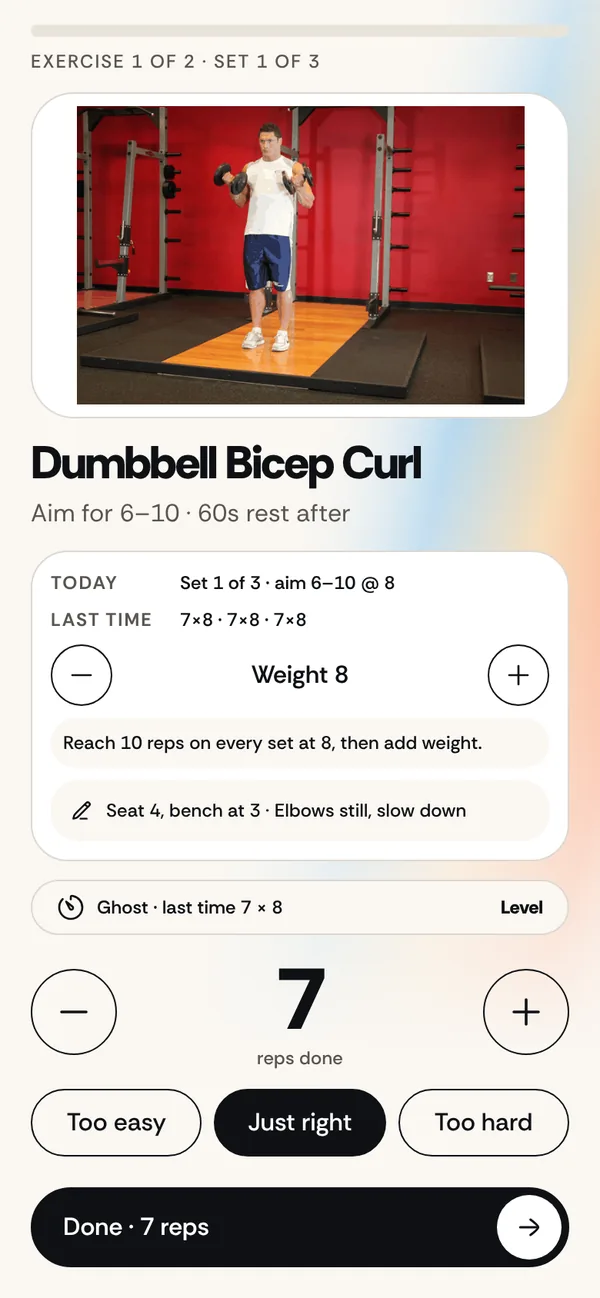
A live set in Lvl Up showing last time, today's target and a suggested weight

Lvl Up builds your week from what you can do today. It never trains an injured joint. It tells you the real length of a session instead of padding it. And nothing in your plan changes unless you say so.

Your first day

From “where do I start?” to a plan you trust, in six steps.

This is the real app. Scroll through what happens on your first day.

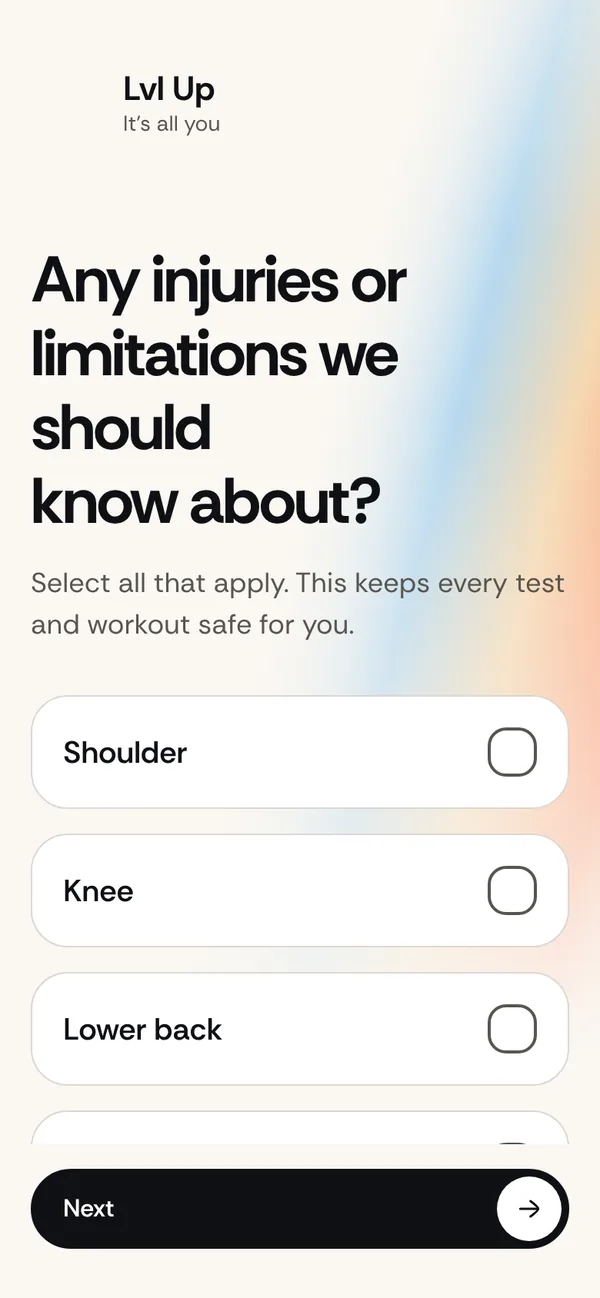
Setup question: any injuries or limitations we should know about Push-up check with a real exercise demonstration The plan: a Push, Pull and Legs week A live set with today's target, last time and notes The Ghost: a body figure that grows where you train Strength Fingerprint across push, pull, squat, hinge and carry
  1. 01Tell us
  2. 02Measure
  3. 03Your plan
  4. 04Train
  5. 05Level up
  6. 06Learn

01

Tell us

A few honest questions.

Your goal, your equipment, how many days and how long. And any shoulder, wrist, knee or lower-back limitation. Whatever you report is never trained.

  • Dumbbells, barbell, machines, bands or just your body
  • Home, gym or a mix
  • Your answers go straight into the plan, none are decoration
02

Measure

Six checks, not a label.

Breathing, push-ups, pulling, plank, squat and balance. Each one shows the real movement. Your numbers decide where you start, not a “beginner” or “advanced” badge.

  • A safer incline option is always there
  • Prefer not to count? The camera can do it
  • Zero is a valid, honest answer

03

Your plan

A real week, not a template.

Push, Pull and Legs on the days you chose, sized to the time you have. If the exercises you can safely do don’t fill the session, it tells you the real length instead of padding it.

  • Rep ranges follow your goal
  • Loads follow what you measured
  • Newer? Legs become gentler full-body days
04

Train

Everything on one screen.

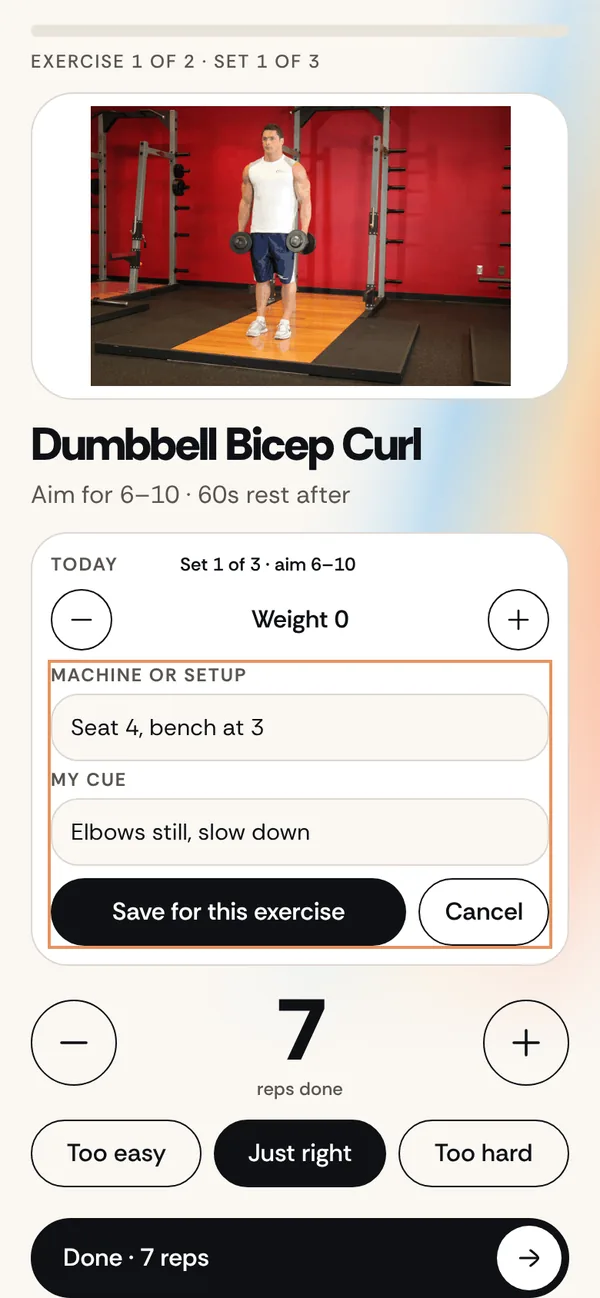
The demonstration, today’s target, what you did last time, the sets you’ve finished and a suggested weight. Plus your own notes: seat position, pad height, the cue that works for you.

  • One tap to add weight when you earned it
  • Notes stay with the exercise, every session
  • Quick checkoff or manual reps, your choice
05

Level up

Meet your Ghost.

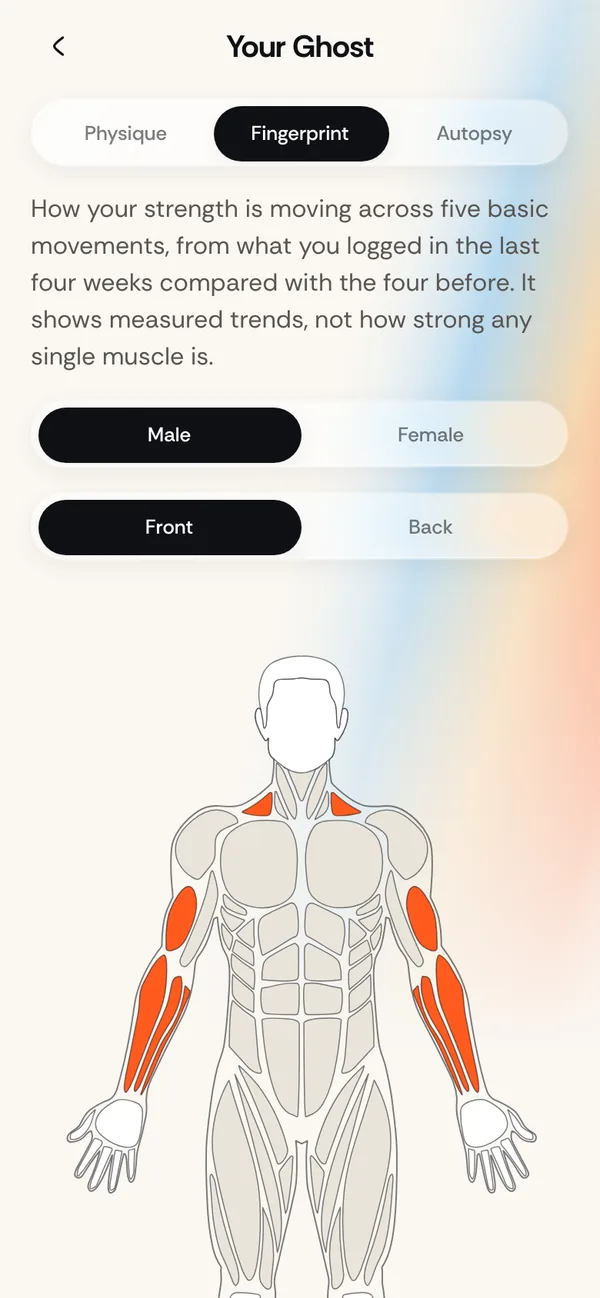
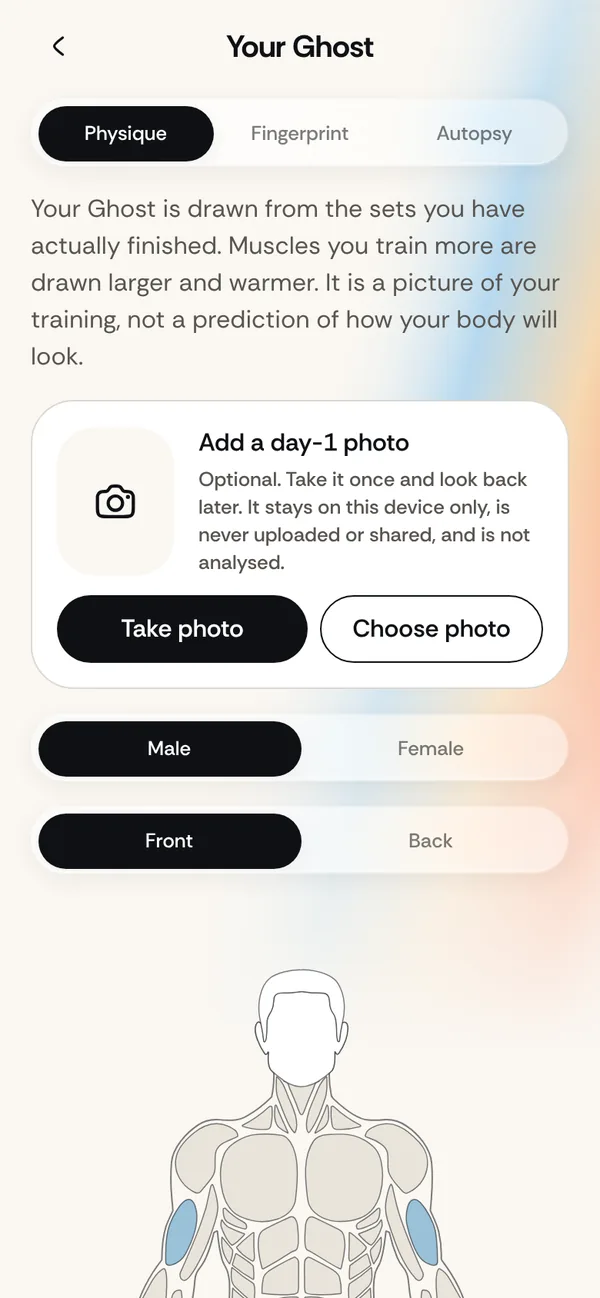
Every finished set levels the muscle you trained. Your Ghost is a 2D figure that grows where you actually work, and the abs sharpen as they earn it. It draws your training, it doesn’t predict your body.

  • Male or female figure, from your own answer
  • Optional day-1 photo, kept on your device only
  • XP, levels and streaks along the way

06

Learn

See what’s really working.

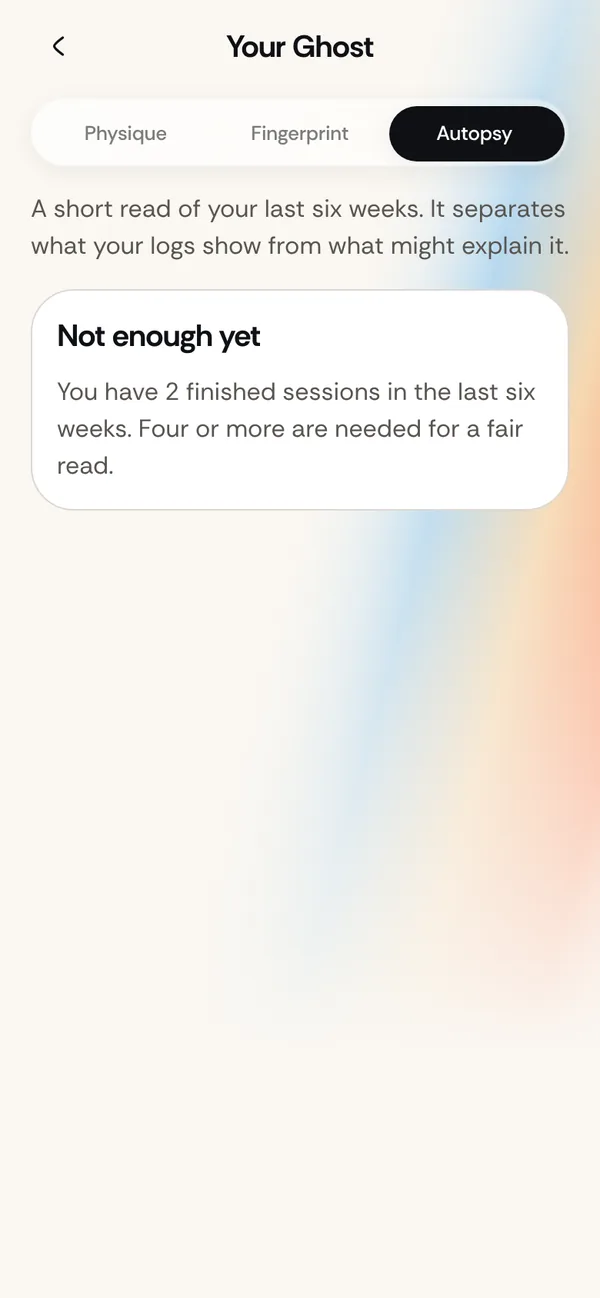
Your Strength Fingerprint shows push, pull, squat, hinge and carry trends from what you logged. After a few weeks, the Training Autopsy separates what the logs show from what might explain it.

  • Neglected patterns are flagged
  • Push versus pull balance, from real sets
  • It never blames sleep or food it can’t measure

Personalization

Your answers shape the plan. Visibly.

Nothing in setup is decoration. Here is what each answer changes, and what it does not.

What you tell it

Goal, equipment, training days, session length and any shoulder, wrist, knee or lower-back limitation decide which exercises can appear and how many fit your week.

What you can do

Your assessment results set your starting point and your Lvl Up Age. A skipped check is treated as unknown, never as zero or as a guess.

What it keeps plain

Some answers, such as weight and height, are stored but do not change your plan yet. We would rather say so than pretend.

See how the plan is built

What’s inside

Built to know you, not just to log you.

Injury-aware

Removed, not hidden.

Report a shoulder, wrist, knee or lower back and every exercise that loads it is taken out of your plan, your swaps and your focus sessions. If we don’t know how an exercise loads a joint, it’s treated as unsafe.

  • Kneeno squats, lunges or step-ups✓
  • Wristno push-ups or planks✓
  • Shoulderno pressing or pulling that loads it✓
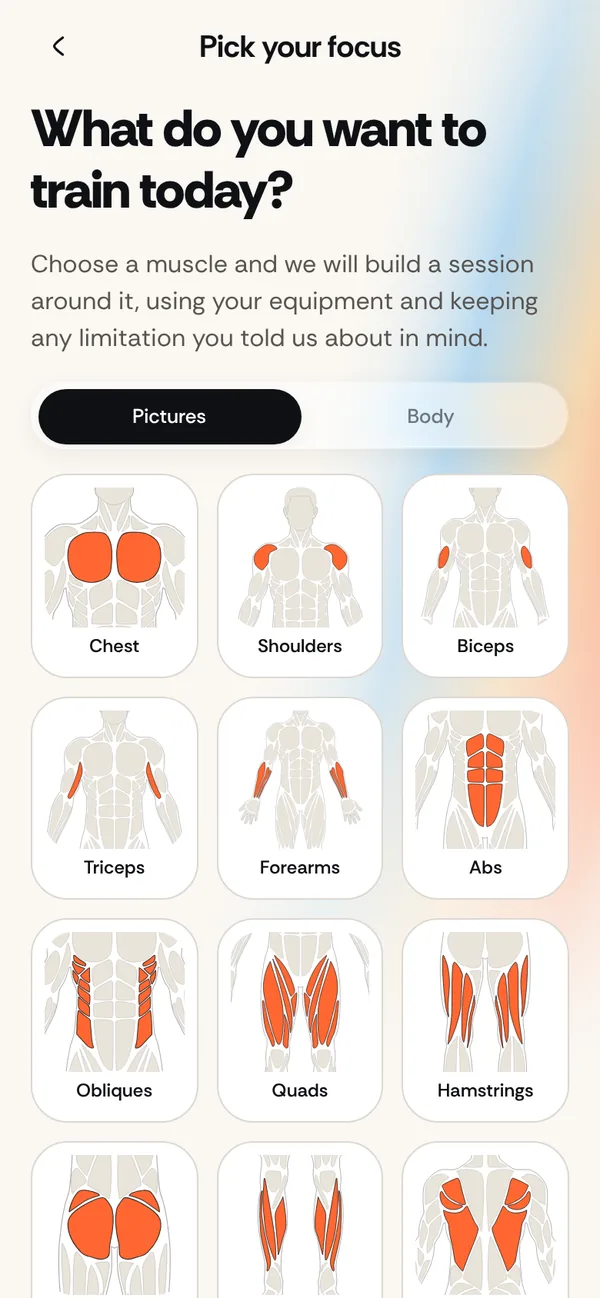
Pick your focus: tap a muscle to train it today

Pick your focus

Want biceps today? Tap the muscle.

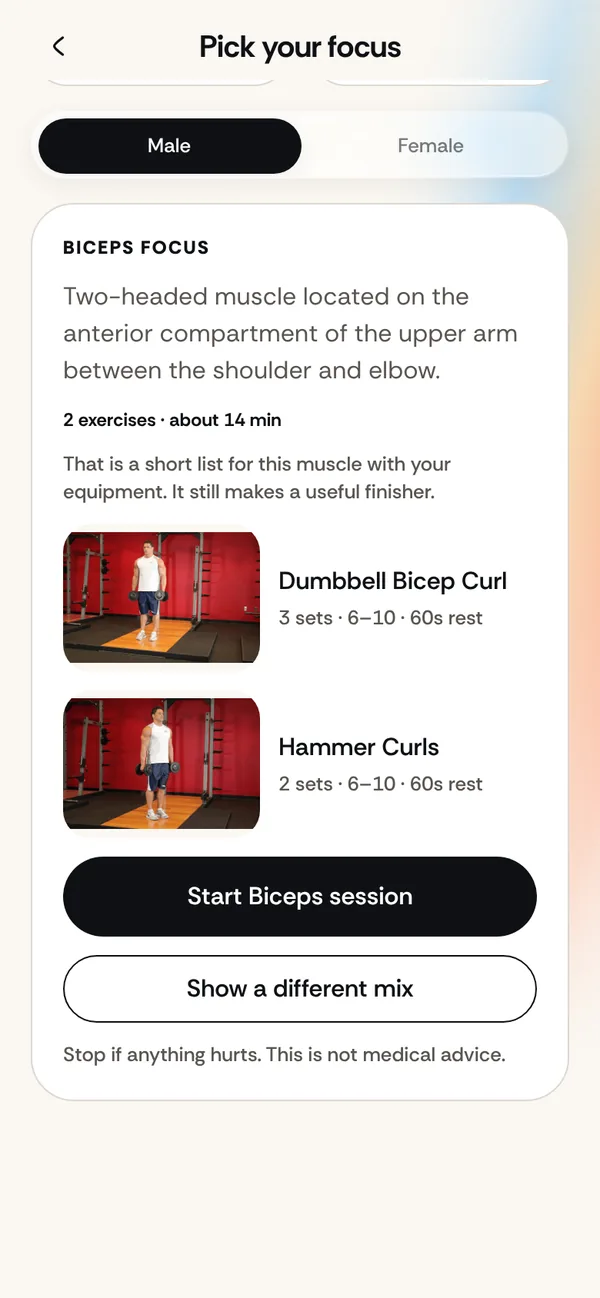
Fourteen muscles, each drawn as a close-up. Choose one and get a session built from your equipment, still respecting your injuries.

A biceps session preview with exercises and a start button

Ghost replay

Beat the person you were.

Your last session replays set by set. See what you lifted, and whether you’re ahead or behind, while you train.

The Ghost chip showing last time and an ahead status

Notes that stay

It remembers the little details.

Seat 4, pad 3, elbows tucked. Save a note on any exercise and it’s there every time it comes up.

Adding a machine setup note on a set

Training autopsy

Honest about why.

What your logs show, kept apart from what might explain it.

The Training Autopsy report

Tala, your coach

Ask Tala. Your plan changes only if you approve it.

Tala is the in-app coach. Out of the box she answers from built-in replies on your device. If you choose to turn on Tala AI, your questions go to an AI model through our server, after the app asks you first.

  • Off until you turn it on, and you can turn it off again in Tala or Profile > Your data
  • Plan tweaks are small and re-checked against your injuries and equipment
  • Nothing in your plan changes until you approve it, and you can undo it
  • General training guidance, not medical advice. Tala can be wrong

All about Tala · What Tala is and is not · What is sent when Tala AI is on

Tala, the Lvl Up coach

I can suggest a small change to your plan. You decide.

Not for emergencies

Tala will not diagnose, treat or tell you to train through pain. If something feels wrong, stop and speak to a qualified professional.

Packs

Train with up to five friends.

A Pack is a small, optional group of up to six people. Members see each other's first name, avatar and weekly progress, nothing more.

  • Members join through an invite link, and you can leave whenever you like
  • Report or block any member from More beside their name
  • Leaders can remove a member
  • Lvl Up is for people 16 and older

All about Packs · Community guidelines · Report or block someone

You stay in control

Blocked members disappear from your view and cannot cheer or challenge you. We review reports sent from the app.

Safety

Built to be careful with your body.

Lvl Up gives general training guidance. It is not a medical service and it does not know your full health history.

  • Exercises that load a reported joint are removed, and unknown loading is treated as unsafe
  • A readiness check can steer you to a lighter day or to a doctor first
  • Stop if you feel pain, dizziness or anything unsafe
  • See a doctor before starting if you have an injury, a condition or are pregnant

Read the full health and safety notice

Honest limits

Weight and height are stored but do not change your plan yet. The joint-load table is awaiting review by a trainer. We say so on purpose.

Camera check · Beta

Let the camera count.

Prop up your phone and do your push-ups, pull-ups, squats or plank. Lvl Up counts the reps and scores your form with MediaPipe pose tracking, right in your browser. If your form is shaky, your starting level is held back until it isn’t.

  • Runs on your device, the video is never uploaded
  • Pull-ups only count with your wrists above your shoulders
  • Prefer to type your numbers? That always works

Camera counting is in the web app today. It is not in the iOS and Android builds yet.

6checks in the assessment, each shown as a real movement
840exercise demonstrations to guide every set
14muscles you can pick to focus on any day
4joints we plan around: shoulder, wrist, knee, lower back

Small things

The details that keep you coming back.

  • Your real planPush, Pull and Legs from what you can do today.
  • Streaks that countA day counts when you actually trained.
  • Weekly challengesThree new goals every Monday.
  • Your year, day by dayEvery workout on its own square.
  • Injury-awareA reported joint is never loaded.
  • Plan BA shorter or recovery day when life happens.
  • ReadinessSleep, soreness and energy shape today.
  • Notes that staySeat height and cues, kept per exercise.

Questions

Good to know.

Do I need any equipment?

No. Tell Lvl Up what you have, from nothing to a full gym, and the plan and focus sessions only use that.

What if I have an injury?

Choose shoulder, wrist, knee or lower back during setup. Exercises that load that joint are removed from your plan and your focus sessions. This is a planning aid, not medical advice.

Can I train just one muscle?

Yes. On the Today screen, choose Pick your focus, tap a muscle and start a session built around it.

Does it work on my phone?

Yes, in your phone’s browser today. The native iOS and Android apps are still being finished.

What happens to my photo?

If you add a day-1 photo it stays on your device. It is not uploaded, shared or analyzed, and you can delete it whenever you like.

Is the camera check required?

Never. You can always type your own numbers. The camera check is an optional, in-browser beta that counts reps and scores form on your device.

Download

Use it in your browser today.

The web app works on your phone or computer with no install. Store apps are being prepared.

Open the web app

Google Play badgeComing soon
App Store badgeComing soon

Download details

Your first plan is a few questions away.

Open it in your browser. No download needed. You must be 16 or older.

Start free
Google Play badgeComing soon
App Store badgeComing soon